Quick Answer
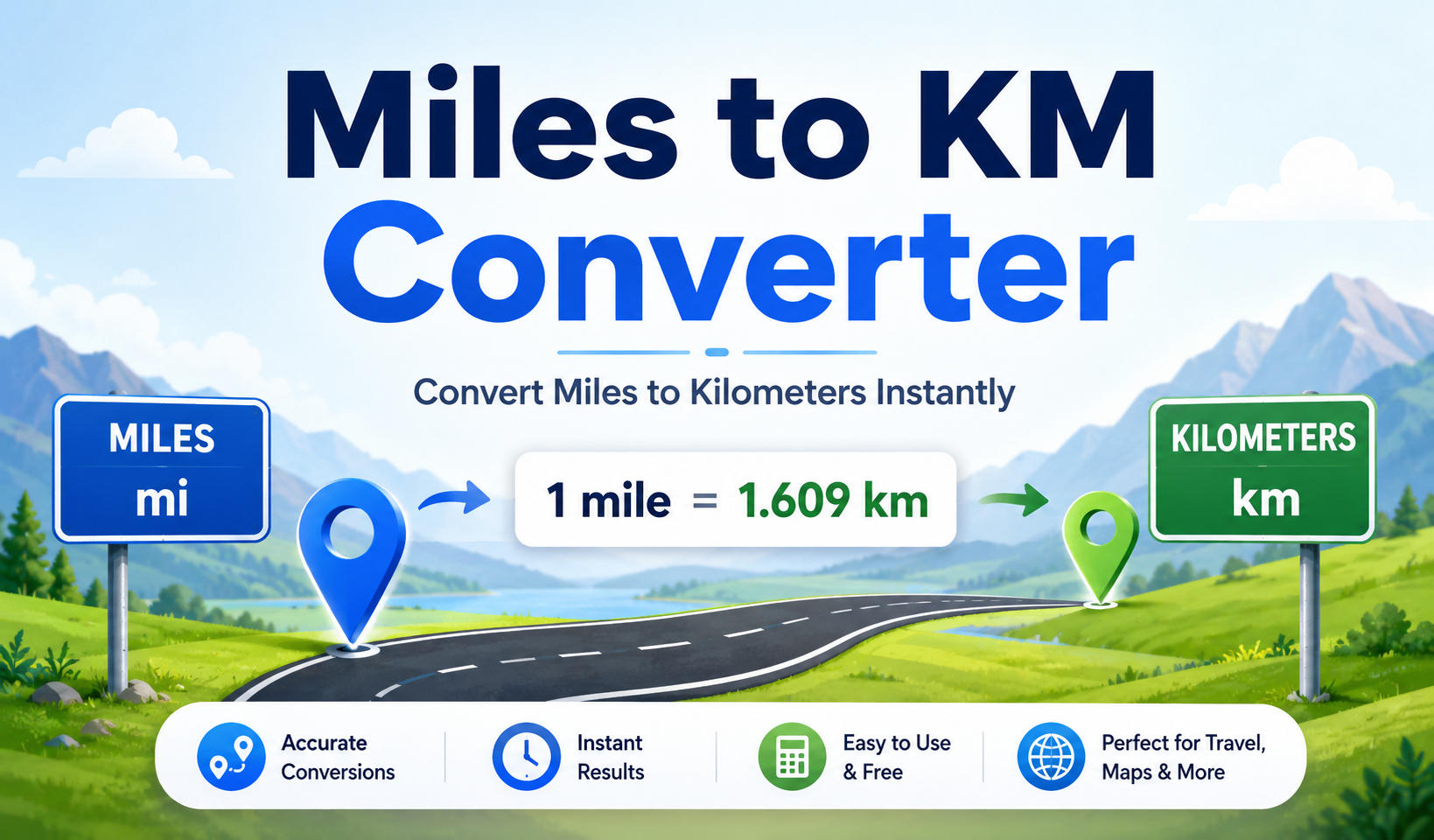
A Miles to KM Converter is an online distance conversion tool that converts miles into kilometers. It uses the standard conversion value where 1 mile equals 1.609344 kilometers.
To convert miles to km manually, multiply the number of miles by 1.609344. This converter does the same calculation for you and displays the kilometer result in the result box.
For example, 10 miles equals 16.09344 kilometers. You can enter 10 in the tool and get the answer without using a separate calculator.
Need to convert miles to kilometers quickly? This Miles to KM Converter helps you change any distance in miles into kilometers in just a few seconds. Enter your distance in miles, and the tool will show the converted result in kilometers without manual calculation.
What Is This Miles to KM Converter?
This Miles to KM Converter is a simple online tool that converts distance from miles to kilometers. It is designed for users who want a quick and clear answer without memorizing formulas, opening a calculator, or searching through conversion tables.
The tool has a clean and easy layout. The visible input field is labeled “Enter Distance (in miles)”. Inside the input box, the placeholder text says “Enter value in miles”. This tells users exactly what they need to enter before getting the result.
Below the input field, there is a result area. In the screenshot, the result area shows “Result: 0 kilometers” before a value is entered. When the user types a number in miles, the tool calculates the kilometer value and displays it in this result box.
This makes the tool useful for anyone who needs to convert miles to kilometers for travel, study, fitness, driving, writing, research, or general distance comparison. Instead of doing the math manually, you can enter the miles value and read the converted kilometers directly.
The tool is focused on one main task: converting miles into kilometers. Because it has only one input field and one result area, it is easy to understand even for beginners. You do not need to select complex options, choose different units, or adjust advanced settings.
How to Use This Miles to KM Converter
Using this Miles to KM Converter is simple. The tool is made for fast distance conversion, so you can get the answer in a few easy steps.
Step 1: Find the miles input field
Look for the input field labeled “Enter Distance (in miles)”. This is where you need to type the distance value that is currently in miles.
The placeholder text inside the field says “Enter value in miles”. This helps you understand that the tool expects a number in miles, not kilometers or another unit.
Step 2: Type your distance in miles
Click inside the input field and type the number of miles you want to convert. You can enter a whole number like 1, 5, 10, 50, or 100. You can also enter a decimal value like 1.5, 2.25, or 12.75 if your distance is not a whole number.
For best results, enter only the number. For example, type 10 instead of 10 miles. This helps the tool read the value correctly and calculate the result properly.
Step 3: View the kilometer result
After entering the value, check the result area below the input field. The tool will show the converted distance in kilometers. In the default state, the screenshot shows “Result: 0 kilometers”. After you enter a value, this result updates based on the miles value you provided.
This result box makes it easy to read the final answer without searching through extra information. You can use the kilometer value for travel planning, homework, fitness goals, route comparison, or any other task that needs miles to kilometers conversion.
Step 4: Change the value if needed
You can edit the input value anytime. If you want to convert another distance, simply replace the current number with a new miles value. The tool will calculate the new kilometer result based on the updated input.
This is helpful when you want to compare multiple distances. For example, you can check 5 miles, 10 miles, 26 miles, and 50 miles one after another without doing separate manual calculations.
Step 5: Use the converted result
Once you have the kilometer result, you can use it wherever needed. You may use it in a travel plan, a map comparison, a school answer, a fitness log, a vehicle mileage note, or an article that needs distance values in kilometers.
Key Features of the Miles to KM Converter
Clear miles input field
The tool includes a clear input field where users can enter distance in miles. This keeps the process simple because users do not have to choose from multiple unit options or settings.
The label “Enter Distance (in miles)” makes the purpose of the input field easy to understand. This reduces confusion and helps users enter the correct unit before calculating the result.
Instant kilometer result
The result area displays the converted value in kilometers. This saves time because users do not need to manually multiply the miles value or check a conversion chart.
Instant results are useful for quick decisions. For example, if you are checking how far a road trip is in kilometers, you can enter the miles value and get the answer immediately.
Beginner-friendly layout
The tool is designed with a simple layout. It has one input field and one result section. This makes the miles to km conversion process easy for students, travelers, drivers, runners, cyclists, teachers, and general users.
There are no unnecessary options visible in the current layout. This helps users focus on the main task: converting miles into kilometers.
Formula-based conversion
The converter uses the standard miles to kilometers conversion factor. It multiplies the entered miles value by 1.609344 to calculate the result in kilometers.
This formula-based approach makes the result reliable for everyday distance conversion. The answer depends on the number entered by the user, so correct input is important.
Useful for common distance searches
Many users search for common conversions such as 1 mile to km, 3 miles to km, 5 miles to km, 10 miles to km, 50 miles to km, and 100 miles to km. This tool can calculate these values quickly.
It can also help with less common values such as 26 miles to km, 402 miles to km, or any custom distance entered in the input field.
No manual math required
Manual conversion can be slow, especially when the number is large or includes decimals. This tool removes the need to do multiplication by hand.
Instead of remembering the formula every time, you can use the tool to get a quick answer. This makes it helpful for repeated conversions and everyday use.
Why Use This Miles to KM Converter?
Using a Miles to KM Converter saves time and reduces the chance of calculation mistakes. When you calculate manually, you need to remember the conversion factor, multiply the value, and decide how many decimal places to keep. This tool makes that process easier.
It is especially useful when you need a quick answer. For example, if a travel route is listed in miles but you understand distances better in kilometers, this tool can give you the converted value instantly.
The converter is also helpful for students learning unit conversion. Instead of only seeing the formula, students can enter values and compare how miles and kilometers relate to each other. This can make the concept easier to understand.
Runners and cyclists may also use this tool when comparing distances across different apps, races, or training plans. Some apps show distance in miles, while others use kilometers. This converter helps you understand both units quickly.
Drivers can use it when comparing road distances, vehicle mileage, or international travel information. Writers and researchers can use it when preparing content for readers who use kilometers instead of miles.
Overall, the main benefit is convenience. You enter a number, check the result, and move forward with your task without spending extra time on manual conversion.
Miles to KM Formula
The formula to convert miles to kilometers is:
Kilometers = Miles × 1.609344
This means that every mile is equal to 1.609344 kilometers. When you multiply a mile value by 1.609344, you get the equivalent distance in kilometers.
For example, if you want to convert 10 miles to km, the calculation is:
10 × 1.609344 = 16.09344 kilometers
So, 10 miles equals 16.09344 kilometers. For everyday use, you may round this to about 16.09 km.
If you want to convert 1 mile to km, the calculation is:
1 × 1.609344 = 1.609344 kilometers
So, 1 mile equals 1.609344 kilometers. This is the base value used by the converter.
Practical Example
Imagine you are planning a road trip and the distance is shown as 50 miles. You want to know how far that is in kilometers because your map, travel guide, or audience uses kilometers.
To convert 50 miles to kilometers, enter 50 in the input field. The tool uses the standard formula:
50 × 1.609344 = 80.4672 kilometers
So, 50 miles is equal to 80.4672 kilometers. For general understanding, you can round it to about 80.47 km.
Here is another example. If you are checking a running distance of 5 miles, the calculation is:
5 × 1.609344 = 8.04672 kilometers
So, 5 miles equals 8.04672 kilometers. This can help runners compare mile-based distances with kilometer-based training plans.
If you are converting 100 miles to km, the calculation is:
100 × 1.609344 = 160.9344 kilometers
So, 100 miles equals 160.9344 kilometers. This is a common conversion for long road trips, route planning, and vehicle mileage comparisons.
Common Miles to Kilometers Conversion Table
The table below shows common miles to kilometers conversions. You can use it for quick reference, or use the tool above to calculate any custom value.
| Miles | Kilometers |
|---|---|
| 1 mile | 1.609344 km |
| 2 miles | 3.218688 km |
| 3 miles | 4.828032 km |
| 4 miles | 6.437376 km |
| 5 miles | 8.04672 km |
| 8 miles | 12.874752 km |
| 10 miles | 16.09344 km |
| 12 miles | 19.312128 km |
| 15 miles | 24.14016 km |
| 20 miles | 32.18688 km |
| 25 miles | 40.2336 km |
| 26 miles | 41.842944 km |
| 30 miles | 48.28032 km |
| 50 miles | 80.4672 km |
| 60 miles | 96.56064 km |
| 100 miles | 160.9344 km |
Who Can Use This Tool?
This Miles to KM Converter can be used by anyone who needs to convert distance from miles to kilometers. It is simple enough for everyday users and useful enough for students, travelers, runners, and professionals who work with distance values.
Travelers
Travelers often see distances in different units depending on the country, map, website, or travel guide. If a distance is shown in miles but you need kilometers, this tool can help you understand the value quickly.
Students
Students can use the tool while learning unit conversion in math, science, or geography. It helps them see how miles and kilometers relate to each other and how the conversion formula works.
Teachers
Teachers can use this converter to create quick examples for classroom lessons. It can help explain distance conversion without spending too much time on manual calculations.
Runners and cyclists
Runners and cyclists often compare distances in miles and kilometers. A 5-mile run, 10-mile ride, or 26-mile marathon-related distance may need to be understood in kilometers. This tool makes that comparison easier.
Drivers
Drivers can use this tool when comparing road trip distances, vehicle mileage, or map routes. It is helpful when road distances are written in miles but the user prefers kilometers.
Writers and researchers
Writers, bloggers, and researchers may need to convert miles into kilometers when preparing content for international readers. This tool helps them include clearer distance values.
General users
Anyone can use the converter for quick everyday distance conversion. Whether you are checking a route, reading a map, or comparing distance units, the tool gives a simple result.
When Should You Convert Miles to Kilometers?
You should convert miles to kilometers when you need to understand or present distance in the metric system. Many countries use kilometers for road distances, maps, travel information, and official measurements.
If you are reading a distance in miles but your audience uses kilometers, converting the value makes the information easier to understand. This is common in travel content, international websites, school work, fitness tracking, and map-based research.
You may also need miles to km conversion when comparing route lengths between different apps. One app may show a route in miles, while another shows it in kilometers. A distance converter helps you compare both values more clearly.
Another common use is fitness tracking. Some running plans use miles, while others use kilometers. If your training schedule says 3 miles, 5 miles, or 10 miles, you can convert those values into kilometers and follow the plan more easily.
Miles vs Kilometers: What Is the Difference?
Miles and kilometers are both units used to measure distance, but they belong to different measurement systems. A mile is commonly used in countries such as the United States and the United Kingdom for road distances. A kilometer is part of the metric system and is widely used in many countries around the world.
A mile is longer than a kilometer. One mile equals 1.609344 kilometers. One kilometer equals about 0.621371 miles.
This means when you convert miles into kilometers, the kilometer number will be larger than the mile number. For example, 10 miles becomes 16.09344 kilometers. The distance is the same, but the unit changes.
Understanding the difference between miles and kilometers is helpful when reading maps, comparing distances, planning travel, or explaining measurements to people in different countries.
Common Mistakes to Avoid
Entering kilometers instead of miles
This tool is built to convert miles into kilometers. If you enter a kilometer value by mistake, the result will not match your intended conversion. Always enter the distance in miles.
Confusing distance with speed
Miles and kilometers measure distance. Miles per hour and kilometers per hour measure speed. This tool converts distance from miles to kilometers. It does not convert miles per hour to kilometers per hour.
Using the wrong conversion direction
This converter is focused on miles to km conversion. If you want to convert kilometers to miles, you need the reverse formula. The reverse formula is Miles = Kilometers × 0.621371.
Rounding too early
For more accurate results, avoid rounding the conversion factor too early. Using 1.609344 gives a more accurate result than using 1.6, especially for large distances.
Typing words in the input field
Enter only the number in the input box. For example, type 25 instead of 25 miles. This helps the tool calculate the result correctly.
Assuming the result is speed or pace
The result shows distance in kilometers, not speed or pace. If you are working with running pace, miles per hour, or kilometers per hour, you may need a separate pace or speed converter.
Helpful Tips for Better Results
Use the correct unit before entering the value. Since this tool converts miles to kilometers, the input should always be a distance in miles.
Use decimal values when needed. For example, if your distance is 1.5 miles, enter 1.5. The tool can convert decimal mile values into kilometers.
Use exact results when accuracy matters. If you are using the result for study, planning, or technical work, keep more decimal places. If you only need a quick idea, you can round the result.
Use the conversion table for common values. The table is helpful when you need a fast answer for popular distances such as 1 mile, 5 miles, 10 miles, 50 miles, or 100 miles.
Remember the basic rule: 1 mile is about 1.609 kilometers. This makes it easier to estimate distances even when you are not using the tool.
Limitations of This Tool
This Miles to KM Converter is designed for one main purpose: converting miles into kilometers. It does not convert all types of distance, speed, area, or pace units.
The tool does not convert kilometers to miles as its main function. It also does not convert miles per hour to kilometers per hour, square miles to square kilometers, nautical miles to kilometers, miles per gallon, or running pace values.
The accuracy of the result depends on the value entered by the user. If the input is empty, incorrect, or entered in the wrong unit, the result may not be useful.
The tool is helpful for quick distance conversion and everyday use. For professional engineering, aviation, legal, surveying, or scientific work, always confirm the required unit standard, precision level, and rounding rules for your specific use case.
If you need a reverse conversion, use a kilometers to miles converter or apply the reverse formula manually. If you need speed conversion, use a miles per hour to kilometers per hour converter instead.
Conclusion
This Miles to KM Converter makes it easy to convert miles to kilometers without manual calculation. You only need to enter the distance in miles, and the tool shows the result in kilometers.
It is useful for travel planning, school work, running distances, cycling routes, vehicle mileage, map reading, writing, research, and everyday distance comparison. The simple input field and clear result box make the conversion process fast and beginner-friendly.
The main rule is easy to remember: 1 mile equals 1.609344 kilometers. Use this tool whenever you need a quick, clear, and convenient miles to km conversion.
FAQs
How do I convert miles to km?
To convert miles to km, multiply the miles value by 1.609344. For example, 10 miles multiplied by 1.609344 equals 16.09344 kilometers.
What is 1 mile in km?
1 mile is equal to 1.609344 kilometers. For a quick estimate, you can round it to about 1.61 km.
What is the formula for miles to kilometers conversion?
The formula is Kilometers = Miles × 1.609344. This Miles to KM Converter uses the same formula to calculate the result.
Can I use this as a miles to km calculator?
Yes. This tool works as a miles to km calculator. Enter any distance in miles, and it will show the converted value in kilometers.
How many kilometers are in 5 miles?
5 miles equals 8.04672 kilometers. For everyday use, you can round it to about 8.05 km.
How many kilometers are in 10 miles?
10 miles equals 16.09344 kilometers. For a quick estimate, this is commonly rounded to about 16.09 km.
How many kilometers are in 50 miles?
50 miles equals 80.4672 kilometers. This is useful for road trips, travel distances, and route planning.
How many kilometers are in 100 miles?
100 miles equals 160.9344 kilometers. You can enter 100 in the converter to get the result instantly.
Does this tool convert km to miles?
This page focuses on miles to kilometers conversion. To convert km to miles, use the reverse formula: Miles = Kilometers × 0.621371.
Is miles to km the same as miles per hour to km per hour?
No. Miles to km is a distance conversion. Miles per hour to kilometers per hour is a speed conversion. This tool converts distance only.