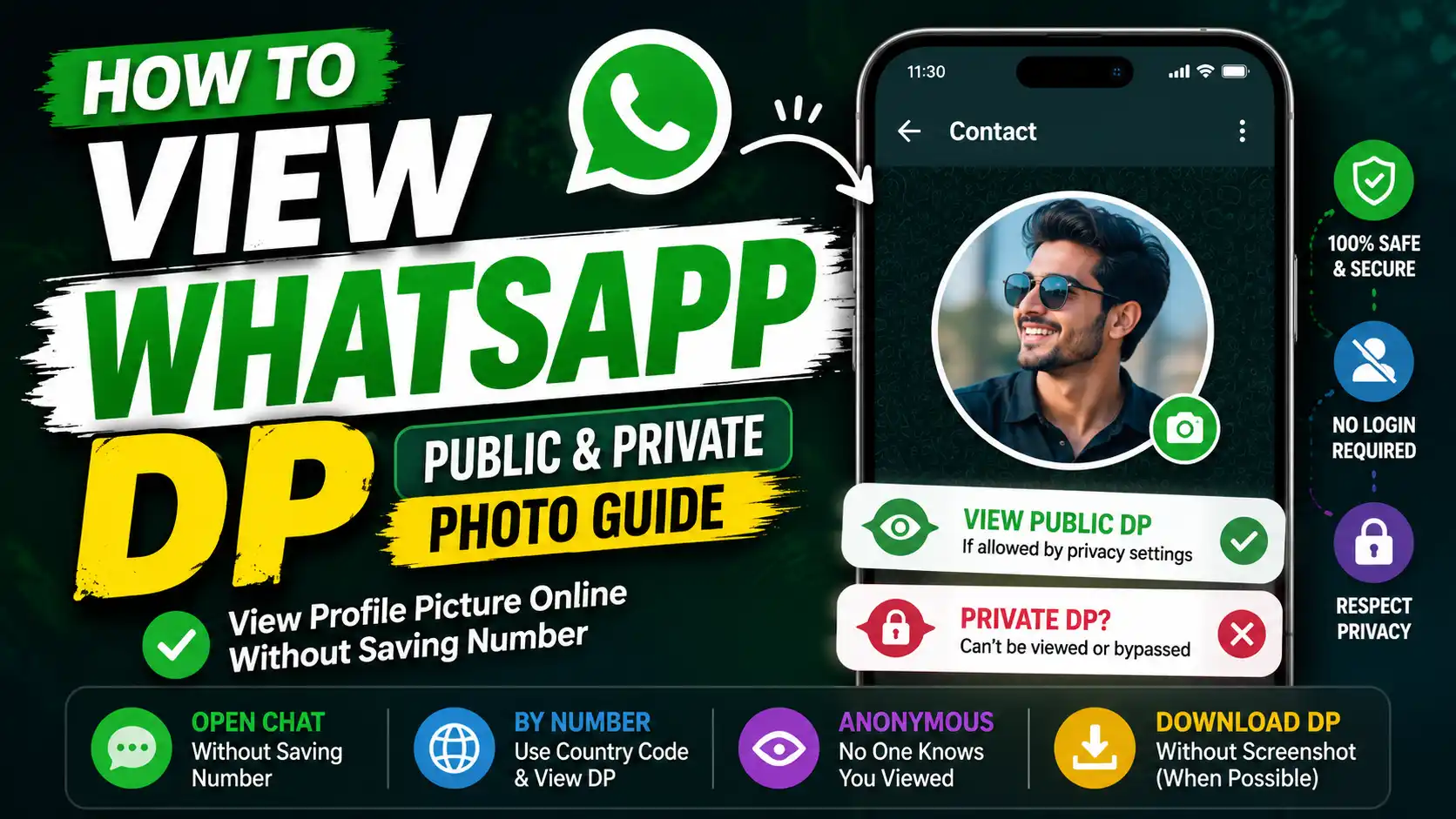
A private, hidden, restricted, or blocked WhatsApp profile picture cannot be unlocked by an online tool. This guide explains how to check public DPs, open a profile without saving the number, understand WhatsApp privacy settings, protect your own photo, and avoid unsafe private DP viewer apps.
Quick Answer: How Can You View a WhatsApp DP?
To view a WhatsApp DP:
- Enter the complete number with its country code.
- Open the number in WhatsApp.
- Tap the contact name or profile icon.
- View the photo if the owner’s privacy settings permit it.
If the profile photo is limited to contacts, excluded contacts, or nobody, you will not be able to view it unless you belong to the permitted audience. No legitimate viewer, website, app, or APK can override those settings.
What Is a WhatsApp DP?
DP stands for display picture. It is the image shown beside a person’s name in chats, contact information, group member lists, and other parts of WhatsApp. WhatsApp generally refers to it as a profile photo or profile picture.
People use WhatsApp DPs for personal photographs, business logos, illustrations, announcements, or simple avatars. Whether another person can see that photo depends on the account owner’s profile-photo privacy setting.
How Does WhatsApp DP Privacy Work?
WhatsApp lets each account owner control who can see the profile photo. Understanding these options is essential because a WhatsApp DP viewer can only help with information that is already available to you.
Everyone
When the profile photo setting is set to Everyone, WhatsApp users may be able to see the DP even when the number is not saved in their phone. The person still needs to use the correct WhatsApp number.
My Contacts
With My Contacts, the profile photo is limited to people included in the account owner’s contacts. Simply saving the number on your side may not be enough if the other person has not saved your number.
My Contacts Except…
This option makes the photo visible to contacts except selected people. A person excluded through this setting will not be able to see the current DP even though they may still be saved as a contact.
Nobody
When Nobody is selected, WhatsApp hides the profile photo from other users. A browser-based tool cannot make this image public or bypass the selected privacy setting.
Important: A missing DP does not automatically mean that you have been blocked. The user may have removed the photo, changed their privacy setting, excluded you, changed numbers, or experienced a contact-sync issue.
How to View WhatsApp DP Without Saving the Number
You may be able to view a WhatsApp profile picture without adding the number to your contacts. Whether the photo appears still depends on the other person’s privacy settings.
Method 1: Use Our WhatsApp DP Viewer
Our WhatsApp DP Viewer helps you format a number correctly and open it through an official WhatsApp link. It is useful when you do not want to create a permanent contact entry for a one-time check.
The tool does not secretly collect or reveal a private profile picture. It prepares the number and sends you to WhatsApp, where normal WhatsApp visibility rules continue to apply.
Method 2: Use WhatsApp Click to Chat
WhatsApp’s Click to Chat feature can open a conversation without requiring you to save the number first. Use the complete international number, including its country code, but remove spaces, brackets, dashes, and the leading local zero where applicable.
After the chat opens, tap the contact name or profile icon. The DP will appear only when you are included in the owner’s allowed profile-photo audience.
Method 3: Save the Contact Temporarily
If the photo is limited to contacts, saving the number may help in some cases. However, it does not guarantee access because the other person may also need to have your number saved, may have excluded you, or may have selected Nobody.
You can remove the temporary contact later, but always respect the other person’s reason for limiting their profile information.
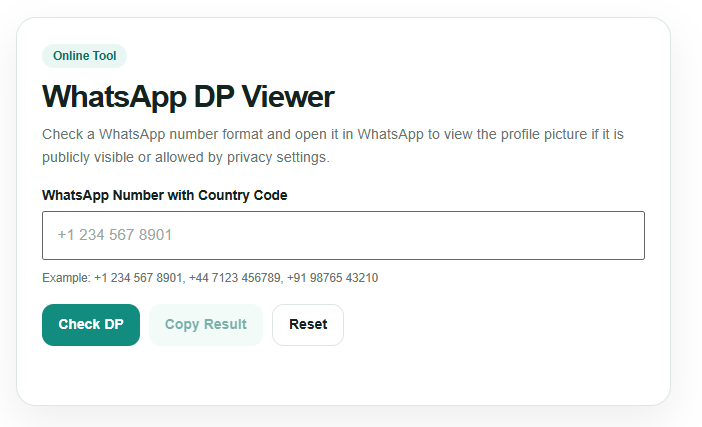
How to Use the WhatsApp DP Viewer
The tool provides a straightforward way to check and format a WhatsApp number before opening it in WhatsApp.
- Enter the WhatsApp number. Add the complete number in the “WhatsApp Number with Country Code” field.
- Include the country code. Use a format such as +1 for the United States, +44 for the United Kingdom, +91 for India, or the correct code for another country.
- Click “Check DP.” The tool checks the number format and prepares the result.
- Review the clean number. The result section displays a cleaned version of the submitted number.
- Select “Open in WhatsApp.” WhatsApp opens the number so you can check its profile information.
- Use the supporting controls. “Copy Result” copies the output, “Copy WhatsApp Link” copies the direct link, and “Reset” clears the current number.
The profile photo will be visible only when WhatsApp allows your account to see it. The tool cannot show private, hidden, blocked, or restricted DPs.
How to View a Public WhatsApp DP
A public WhatsApp DP is a profile photo that the account owner has made visible to a broad audience. Enter the correct number with its country code, open it in WhatsApp, and tap the profile icon.
If the photo is available to you, it should appear in the contact-information area. If it does not appear, recheck the number before assuming that the profile is private.
Public availability does not remove the person’s ownership or privacy interests. Avoid copying, publishing, editing, or redistributing someone’s profile picture without permission.
Can You View a Private WhatsApp DP?
No legitimate online service can reveal a WhatsApp DP that has been hidden from you through the account owner’s privacy settings. A private WhatsApp DP viewer cannot override My Contacts, My Contacts Except…, or Nobody.
Websites and apps that promise to expose any private profile picture often rely on misleading demonstrations, old cached images, fabricated results, or requests for sensitive account access. None of these methods provides a reliable or appropriate way to bypass WhatsApp privacy.
What Can You Do Instead?
You can save the contact where appropriate, ask the person to share the photo, or request that they adjust their privacy setting. If they prefer to keep the DP private, that choice should be respected.
Can You View a WhatsApp DP After Being Blocked?
You generally will not see new profile-photo updates from someone who has blocked you. However, a missing or unchanged DP alone is not proof of blocking.
The person may have changed privacy settings, removed the photo, deleted your number, stopped using the account, or experienced a contact-sync problem. WhatsApp intentionally keeps blocking indicators uncertain to protect user privacy.
A “WhatsApp blocked DP viewer” cannot verify a block or reveal a protected profile picture.
Can You Show a WhatsApp Profile Picture by Number Online?
You can use a phone number to open its WhatsApp profile, but the number must be valid, registered with WhatsApp, and written in the correct international format. The profile photo must also be visible to your account.
Our tool helps clean the number and create a direct WhatsApp link. It does not maintain a public database of WhatsApp profile pictures and does not download a person’s private image from their phone.
Can You View a WhatsApp DP Anonymously?
WhatsApp does not provide account owners with a list showing who opened or viewed their profile photo. DP viewing is different from WhatsApp Status, where viewers may be listed according to read-receipt settings.
There is therefore no special WhatsApp “anonymous DP viewing” mode to activate. You should still use profile information responsibly and avoid repeatedly checking or collecting another person’s images without a legitimate reason.
Can You Check Who Viewed Your WhatsApp DP?
No. WhatsApp does not offer a feature that identifies who viewed your profile picture. A WhatsApp DP Viewer also cannot produce this information.
Apps using names such as “Who Viewed My WhatsApp DP” may estimate activity, display random contacts, or use unrelated interaction data. They do not have an official WhatsApp profile-photo viewer list.
Do not grant such apps access to your messages, contacts, notifications, storage, OTP, or linked-device QR code.
How to Download a WhatsApp DP Without a Screenshot
WhatsApp does not always provide a direct download button for another person’s profile photo. Available options can vary by device, app version, and platform.
If the picture belongs to you, use the original image from your gallery or backup. If it belongs to someone else, ask them to send the original file. This usually provides better quality than attempting to save a profile preview.
Avoid tools that promise a private WhatsApp DP download. A picture hidden by privacy controls should not be obtainable through a downloader. Save or share someone else’s photo only with permission.
Are WhatsApp Private DP Viewer Apps or APKs Safe?
A search for “WhatsApp private DP viewer APK” may return unofficial Android packages that promise access to hidden profile pictures. These claims should be treated with caution.
Potential risks include:
- Fake or unrelated profile-photo results
- Malware hidden inside an APK file
- Contact-list collection
- Notification or storage access
- WhatsApp account takeover attempts
- Requests for an OTP or linked-device QR scan
- Advertising subscriptions or unwanted charges
Use the official WhatsApp app and browser-based tools that clearly explain their limits. Never provide an OTP, password, backup key, or QR-code login to view a profile photo.
Why Is a WhatsApp DP Not Showing?
A blank profile icon can have several explanations:
- The number was entered incorrectly.
- The account does not currently have a profile photo.
- The photo is limited to contacts.
- You were excluded through My Contacts Except…
- The user selected Nobody.
- Your contacts have not synced correctly.
- The person changed their number or deleted the account.
- One account has blocked the other.
- A temporary internet or WhatsApp issue is preventing the photo from loading.
Start by confirming the country code and number format. Then refresh WhatsApp, check your connection, and allow time for contacts to sync. Do not interpret one missing photo as conclusive proof that you have been blocked.
How to Control Who Can See Your WhatsApp DP
You can protect your own profile picture from WhatsApp’s privacy menu. The exact appearance may vary slightly between Android, iPhone, and different app versions.
- Open WhatsApp.
- Open Settings.
- Select Privacy.
- Tap Profile photo or Profile picture.
- Choose Everyone, My Contacts, My Contacts Except…, or Nobody.
How to Hide Your DP From One Person
Select My Contacts Except… and choose the contact you want to exclude. The selected person will no longer be included in the permitted profile-photo audience.
How to Hide Your DP From Everyone
Select Nobody. This is the strongest built-in option for preventing other WhatsApp users from seeing your profile photo.
How to Make Your DP Public
Select Everyone. Remember that making a profile picture broadly visible may allow people outside your saved contacts to see it.
Public, Private, Hidden and Blocked WhatsApp DPs Compared
| DP situation | Can it be viewed? | What the tool can do |
|---|---|---|
| Public or permission-visible DP | Yes, when WhatsApp permits your account to see it | Clean the number and open the profile in WhatsApp |
| My Contacts DP | Only for qualifying contacts | Cannot change contact eligibility |
| Excluded DP | Not for excluded users | Cannot override exclusions |
| Nobody or fully hidden DP | No | Cannot reveal the image |
| Blocked account | Updates are generally unavailable | Cannot bypass or confirm blocking |
| Removed profile photo | No image exists to show | Cannot recover an old DP |
Safe Ways to Use a WhatsApp DP Viewer
- Check only your own profile or profiles you are permitted to view.
- Enter the complete number with the correct country code.
- Use official WhatsApp links instead of unknown APK files.
- Never share an OTP, password, PIN, backup key, or QR-code login.
- Do not assume that a blank DP means you were blocked.
- Do not publish or redistribute another person’s photo without permission.
- Respect private, hidden, and restricted profile settings.
Conclusion
Knowing how to view a WhatsApp DP starts with understanding privacy. You can check a public or permission-visible profile photo by opening the correct number in WhatsApp, even without saving it first. Our WhatsApp DP Viewer simplifies that process by cleaning the number and creating a direct WhatsApp link.
The tool cannot reveal private, hidden, restricted, removed, or blocked profile pictures. It also cannot show who viewed your DP. Use it as a practical public-profile checker, avoid misleading private DP APKs, and respect the choices people make through their WhatsApp privacy settings.
Frequently Asked Questions
How can I view a WhatsApp DP online?
Enter the complete WhatsApp number with its country code and open it through WhatsApp. The profile photo will appear only if the owner’s privacy settings allow your account to see it.
Can I view a WhatsApp DP without saving the number?
Yes. You can use WhatsApp Click to Chat or the WhatsApp DP Viewer to open the number without creating a permanent contact. Photo visibility still depends on the account owner’s settings.
Can a private WhatsApp DP viewer reveal hidden photos?
No. A legitimate tool cannot override WhatsApp profile-photo privacy. Apps or websites promising guaranteed access to private DPs should not be trusted.
Can I show a WhatsApp profile picture by number online for free?
You can use the number to open a WhatsApp profile for free. The number must be valid, and the photo must be public or otherwise visible to your account.
Can I check who viewed my WhatsApp DP?
No. WhatsApp does not provide a list of profile-photo viewers. Apps claiming to identify every person who viewed your DP cannot access an official viewer record.
Why can I no longer see someone’s WhatsApp DP?
The user may have removed the photo, changed their privacy settings, excluded you, changed numbers, or blocked you. A contact-sync or connection issue can also prevent the image from loading.
Can I view a WhatsApp DP after being blocked?
You generally cannot see new profile-photo updates after being blocked. However, a missing DP alone does not confirm that blocking occurred.
Is a WhatsApp private DP viewer APK safe?
Unknown APK files can expose you to malware, fake results, data collection, and account theft. Avoid any app that requests an OTP, WhatsApp login, contact upload, or linked-device QR scan.
How can I hide my WhatsApp DP from specific contacts?
Open WhatsApp Settings, select Privacy, tap Profile photo, and choose My Contacts Except…. Then select the contacts you want to exclude.
Can I download a private WhatsApp DP?
No legitimate downloader should provide an image hidden by WhatsApp privacy settings. Ask the owner to send the original photo when you need a copy.
Useful WhatsApp & Online Image Tools
If you are reading about how to view WhatsApp DP without contact, these related tools can help with WhatsApp checks, DP viewing, image extraction, and quick online utility tasks.
- WhatsApp DP Viewer/Downloader – useful for checking and viewing WhatsApp profile pictures online.
- WhatsApp Number Checker – check whether a phone number is connected with WhatsApp.
- Online Image Extractor – extract images from web pages for media and content tasks.
- How to Extract Images From Website – learn practical ways to save and extract website images.